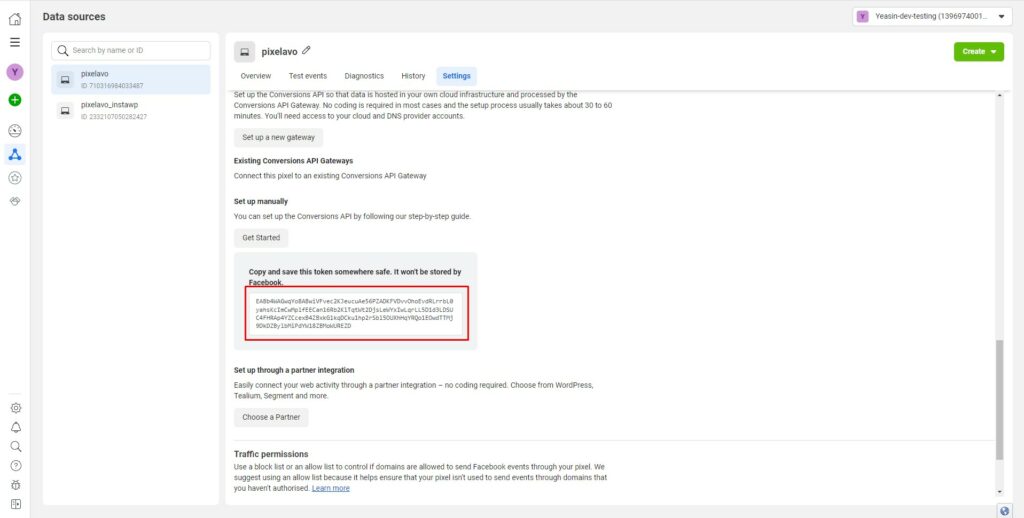
Accessing your Conversion API Access Token is made simple with our detailed documentation. Follow our step-by-step guide to easily locate and generate your Access Token within your Facebook Business account.
Access your Meta Business Suite, click the menu icon (☰) at the top-left, then under the Advertise section select Events Manager.
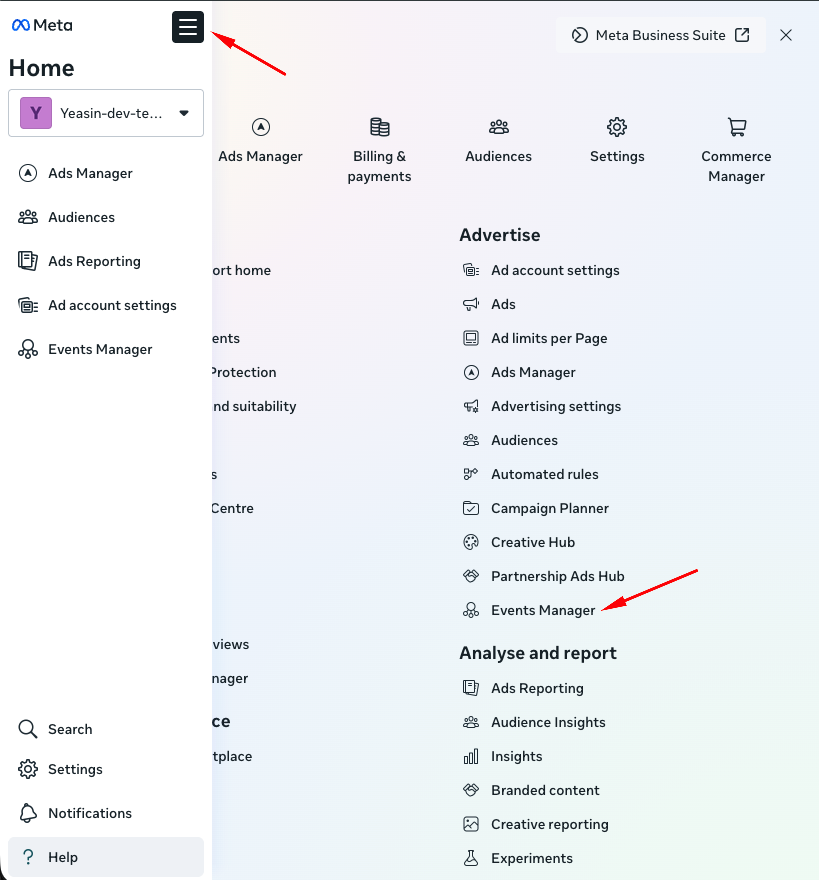
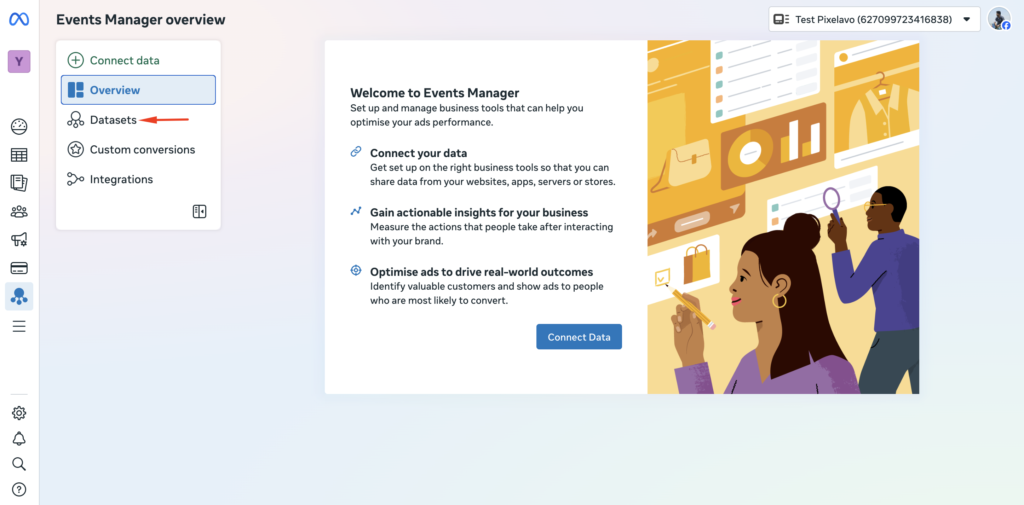
Choose the “Data Sources” option from the menu.
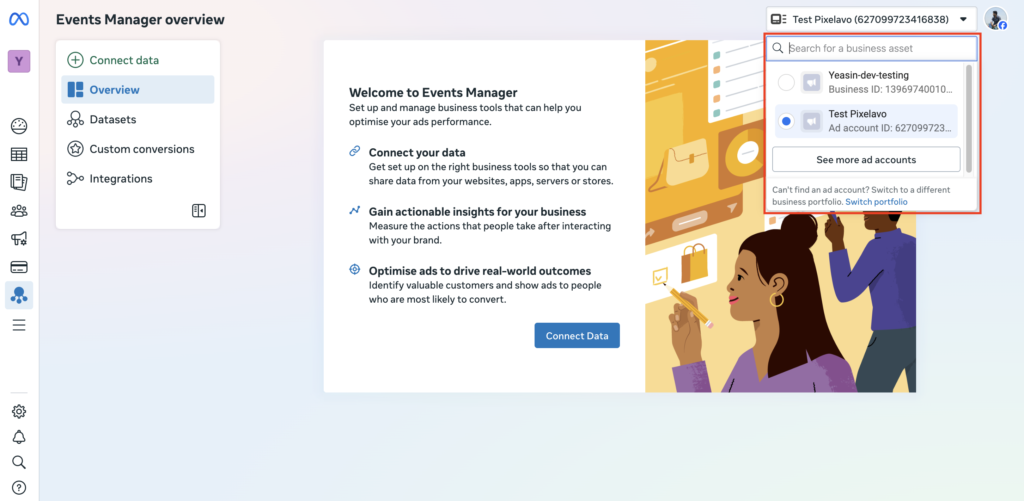
If your Pixel is not visible, it may not be set up yet, or it could be associated with a different business account or ad account. Make sure you’ve selected the correct business asset or switch to the appropriate business portfolio.
Follow this step:
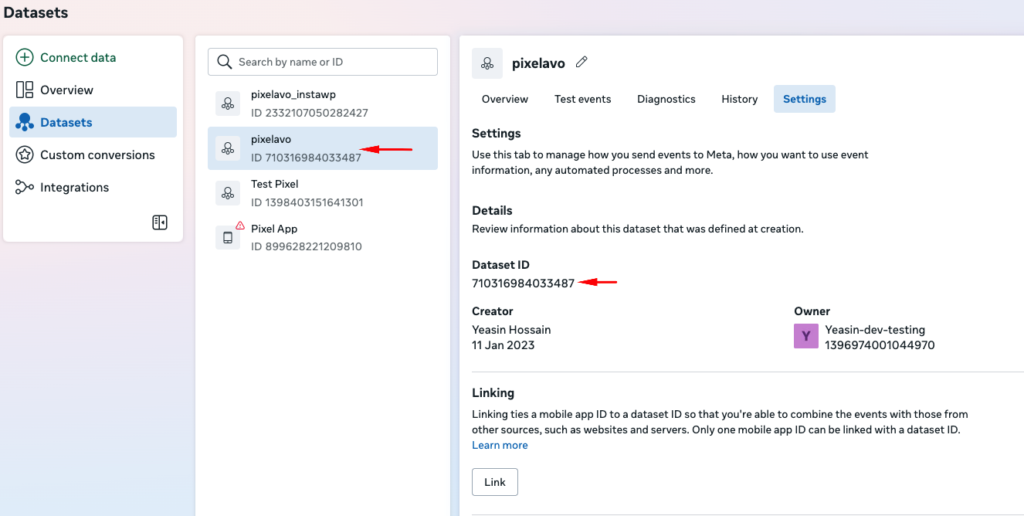
1. From the Datasets list on the left, select the required dataset (Pixel) to open its details.
2. In the right-hand Settings panel, locate the Dataset ID and copy it for use in your Pixel setup.
Scroll to the bottom of the page and locate the “Generate access token” button. Click on it to generate an access token.
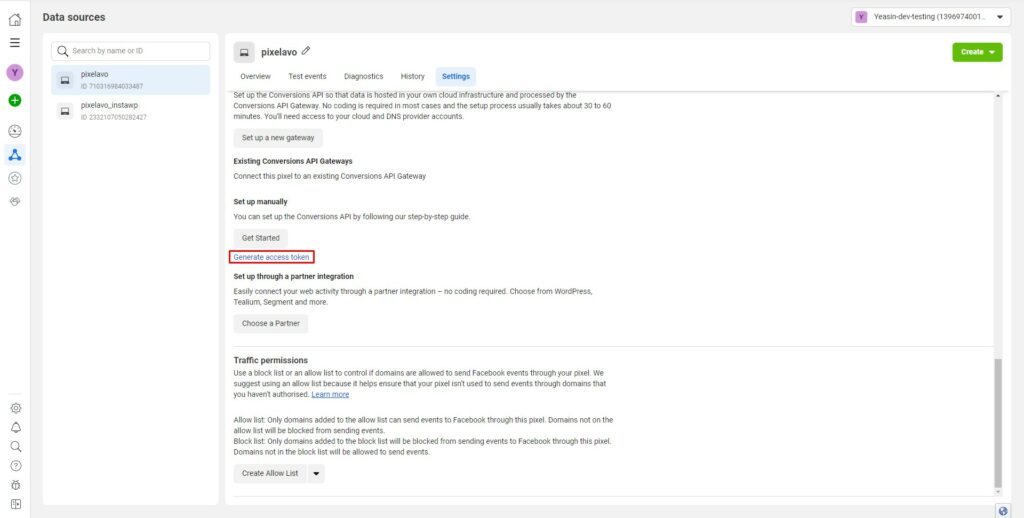
After clicking the “Generate access token” button, an access token will be generated for you to use.